RITSEC CTF 2026 - Forensics, Song Inside A Shell
Table of contents
Introduction:
Over the weekend, I competed in RITSEC’s CTF. This overall was a tough CTF to someone who has been out of the super technical world for a while now, but between family obligations, and work, I didn’t put more than a few hours into the CTF total.
There was one audio forensics challenge that I didn’t get when the event was ongoing, but I revisited it after the event was fully over. This challenge was worth 464 Points, and called “Song Inside A Shell”. For someone who loves forensics, and conveniently is terrible at music production, I found this challenge interesting. A super easy solve if you knew what to do, but more creative then technical.
Initial Thoughts:
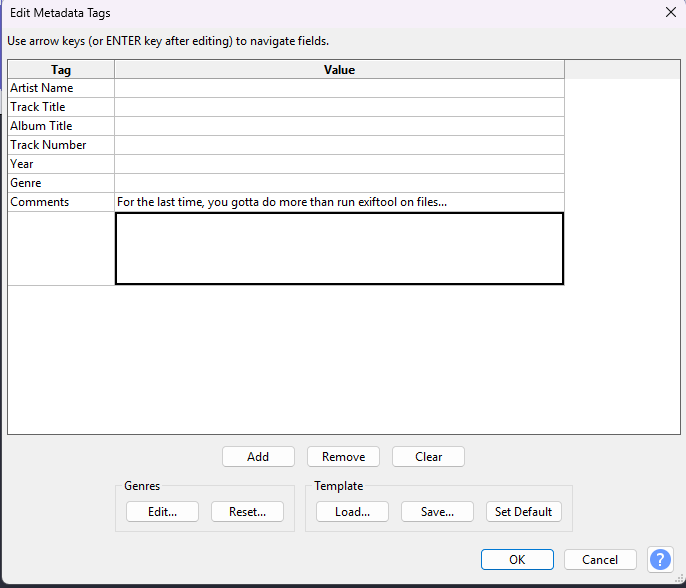
So when I first loaded this challenge, I did the classic CTF steps. Opening up Audacity, I first loaded the Metadata. Considering when I was attempting this challenge there were 0 solves, I knew this wasn’t going to be it, but hey, worth a shot. Of course the developers knew, and wanted to rub it in my face haha.
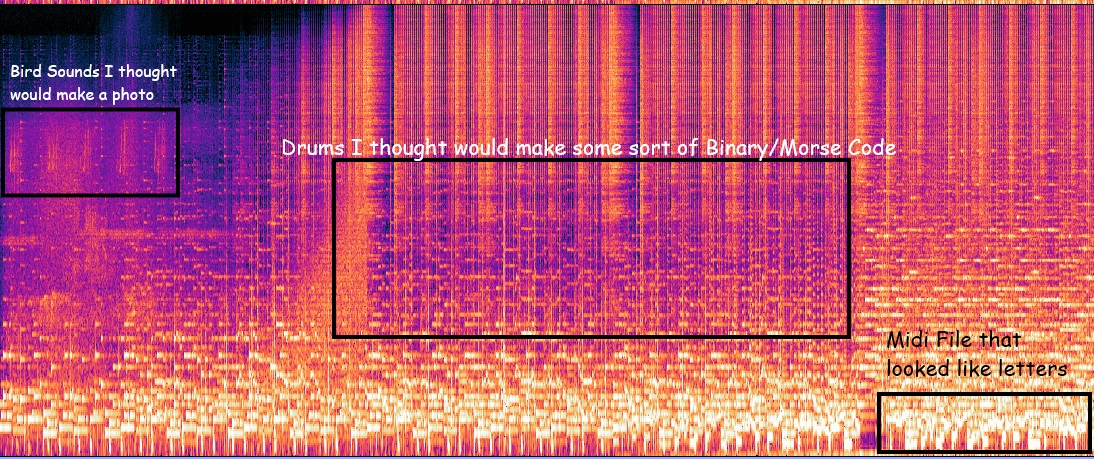
The next step was Spectrogram analysis, and between Audacity and Sonic Visualizer, this is where I spent a majority of my time for a few reasons. The first, and arguably goofiest reason was after analyzing the spectrogram, you can see some of the Midi file, certain bird sounds, and I thought I had to isolate certain elements of audio to get the flag.
So after spending longer than I would like to admit here, I pivoted to Binwalk, Wavsteg, DeepSound, and Silent Eye. Part of the reason this file was so interesting to me was because of the extension .wav. Traditionally, especially in CTF’s, Audio Steganography is not done with .Wav format, and so, the tools I was using were obscure tools designed for .wav files (with the exception of Binwalk, but more on that shortly.)
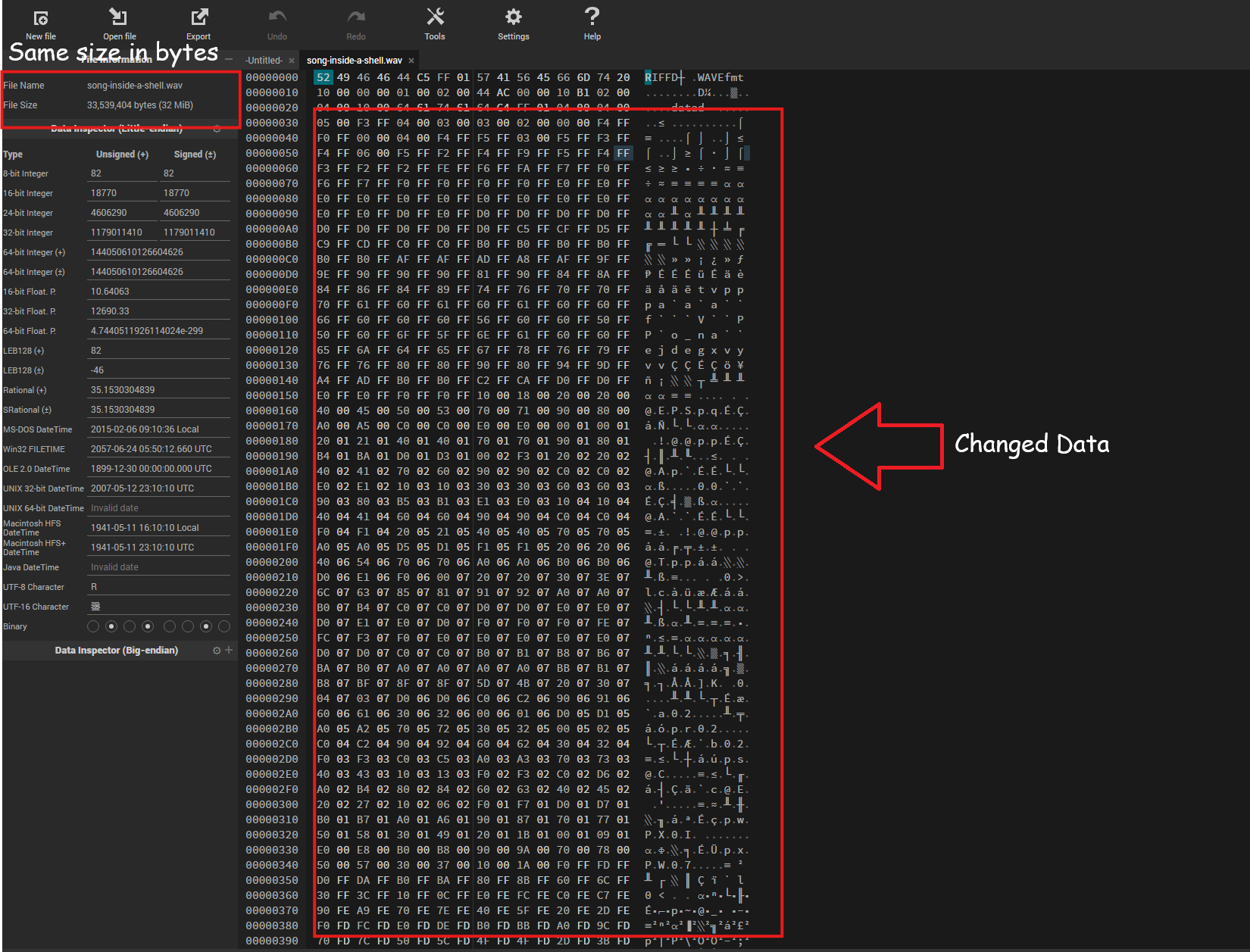
The challenge that I encountered with the tools is that they were always the wrong tools, or couldn’t find certain hex code in the file to decode. For example, DeepSound 2.2, a Steganography tool that slightly shifts bytes while keeping the File Size the same is commonly used in .Wav Stego.
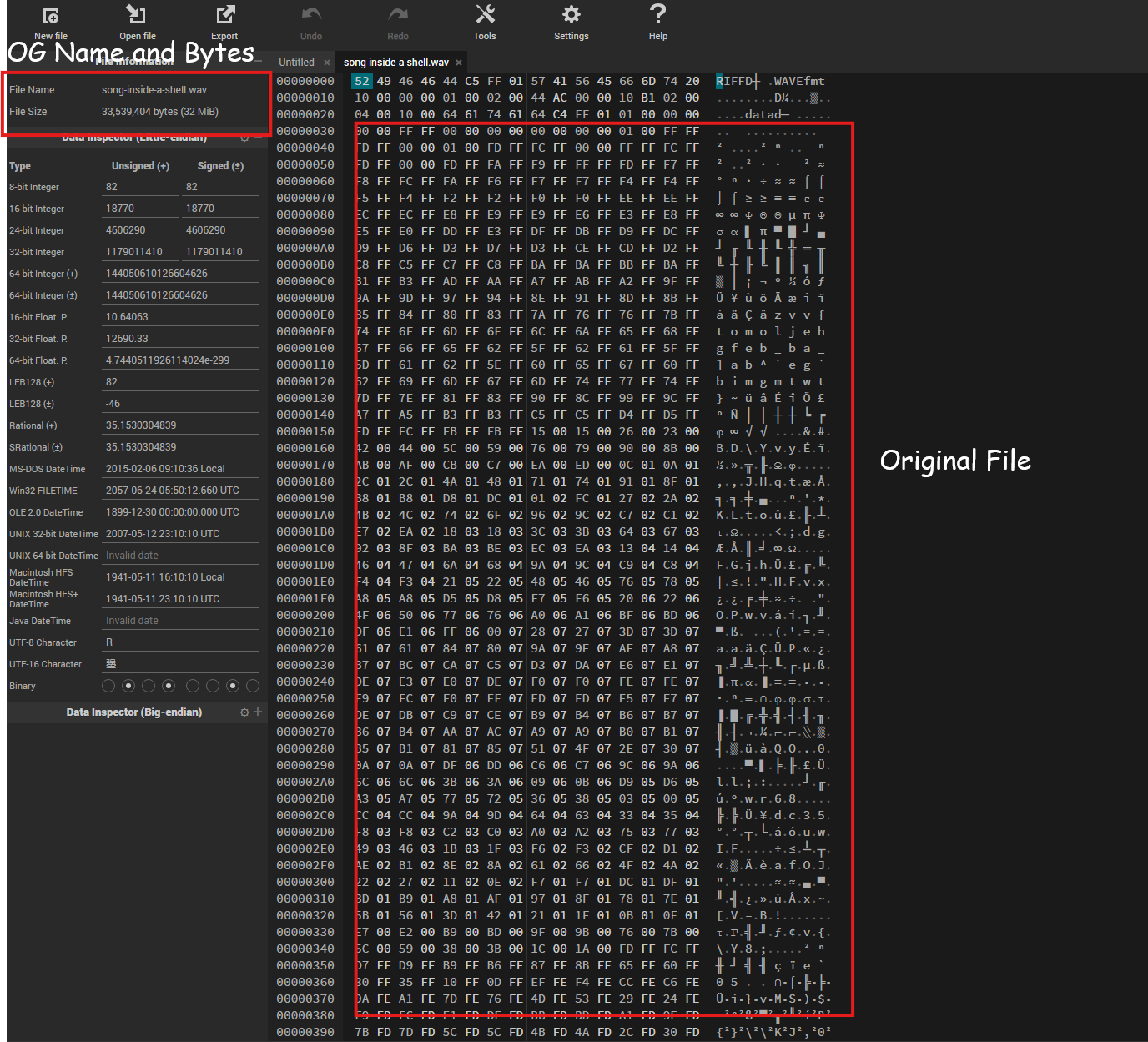
This is the original file.
This was a file that I personally altered to see how it was tracking “hiding” this data.
However, this was not the solution either. So, I pivoted once more, which I thought would lead me to results as it found two files, a MySQL MISAM compressed data file Version 1, and a Motorola S-Record.
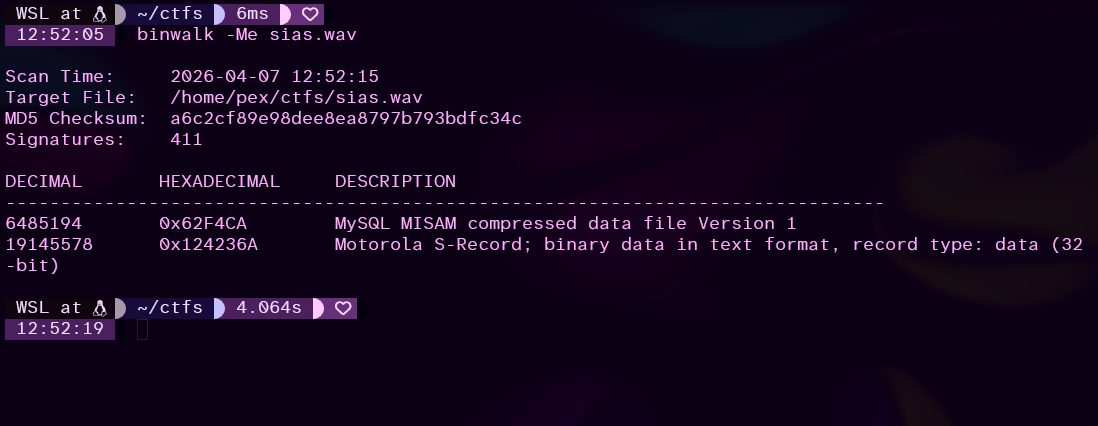
Now of course, these returned gibberish, but I thought this was a MySQL Database that was somehow encoded in the file, so I started trying to reverse engineer the database, and get in, which I thought would get me the flag, but of COURSE, doing more homework, this is a common false positive as the header (or the Magic Bytes that make the file that file type) “\xfe\xfe\x03” are very short, and very common in files.
So at this point, I was lost, and out of time, so I gave up on this challenge, and waited until the event was over to give it another try.
Intended Solve:
For this challenge, I wanted to start by playing around with this file, and looking up less common methods of steg. And I ran into EVERY type of wav steg there was, and spent a - once again - embarrassing amount of time trying to make LSB steganography work.
So as I was searching, I found something called reverse polarity, which is splitting the track from Stereo into Mono and Inversing the top track, then combining the tracks back together, will show the difference of the two tracks.
No idea what I mean? Me neither, but to simplify, audio tracks are composed, or split into two pieces, left and right channels. This is why in some songs you can hear an artist in one of your headphones. Inverting means you are essentially flipping the waveforms low and high frequencies. The top shows the inverted left channel, and the bottom is the normal right channel.
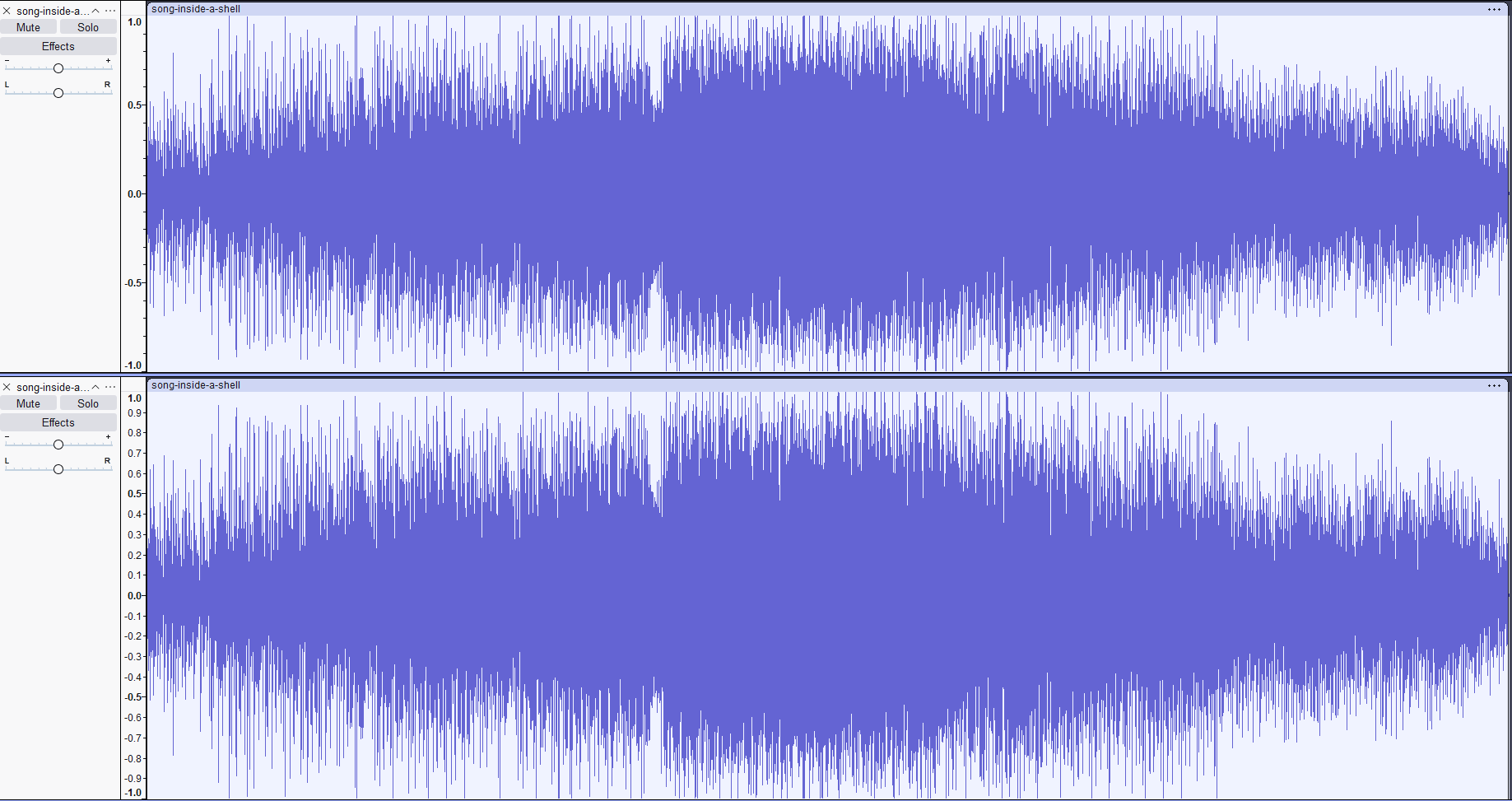
Shoving them back together by highlighting both tracks, navigating to “Tracks” > “Mix” > “Mix and Render” will output the difference in frequencies between the two tracks, which sounds like the below audio.
That sounds like something! So after playing around with pitch, gain, and other audio settings, I didn’t get anything, but it did sound backwards. So with Inverting, we took the audio files and switched high and low frequencies. With Reversing, we just flip the audio track fully around, and this one (with the gain raised) sounds much more Coherent.
Leaving our flag:
RS{listen_to_the_voice_the_sea}Conclusion:
I showed this challenge to a friend of mine who is an audio engineer, as we always chat about the intersection of Cyber and music. He put what we did in the challenge in a much more elegant way.
“Inverting the polarity of a track and then summing both tracks to mono will reveal any and all data that is not played equally in both channels”
And that, we did. Now, why would I post this challenge that I didn’t solve during the event?
- Sometimes, as people in Cyber, we overthink challenges, and all we need is to KISS (Keep it Simple Stupid)
- This challenge is just cool, taught me a bunch of new stuff, and even though I didn’t solve it for points, I learned a new technique of obfuscating information!
I probably will post the other forensics challenges from this event once I solve them, and need to do it before there are very intensive writeups, but I’ll do that soon, idk.
But that’s all I got, so go learn something.